How to Root Lenovo in One Click with KingoRoot Android
When rooting any Lenovo devices, KingoRoot should be your first and no dault choice. It offers you PC version which has a higher success rate and Mobile version which is more convenient. And both of them are the best and simplest one-click root tools.
Lenovo is founded in Beijing in 1984. Lenovo has a large variety of electronic products. In 2012, its Android smartphones began to enter the market. Lenovo's smartphones have Phab series, Vibe series, A series and one online-only sub-brand called Zuk. Its Vibe P1 continues to hot for a long time. And its latest flagship mobile Zuk Z2 with Android6.0 OS was also launched in May 2016. It is also catching people's eyes.

If you want to root one Lenovo Android smartphone, please make sure you really know what you are doing. Click here to know some common sense about ROOT.
Root your Lenovo with KingoRoot APK
Rooting your Android device with KingoRoot APk, you need power on your device, and make sure your device at least 50% battery level and Internet connection (Wi-Fi is best).
Step 1: Check "unknown sources" on your Lenovo and allow installation of KingoRoot.apk.
Settings > Security > Unknown Sources
Step 2: Download KingoRoot.apk and install it.
Step 3: Launch KingoRoot.apk and click "One Click Root" to start rooting.
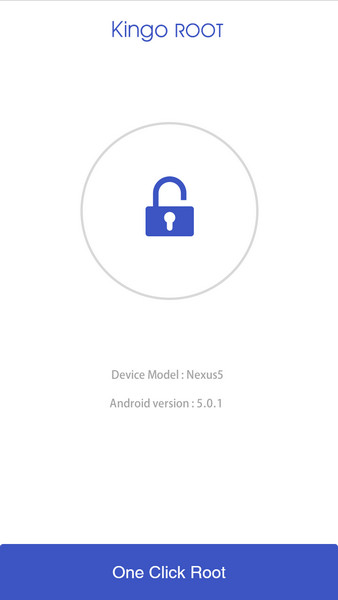
Step 4: Wait for the result, succeeded or failed.
If you want some more details, please click:
How to root any Android device and version with KingoRoot APK?
Or if you want to root your Lenovo with KingoRoot Android (PC version) which has a higher success rate for technical reason, please click below:
How to root any Android device and version with KingoRoot PC Version?
KingoRoot on Windows
KingoRoot Android on Windows has the highest success rate. It supports almost any Android device and version.

KingoRoot for Android
KingoRoot for Android is the most convenient and powerful apk root tool. Root any Android device and version without connecting to PC.

Top Posts
- Successfully Get Root Access On Android 10 (Google Pixle 3 XL) With Magisk
- How to Root Android without Computer (APK ROOT without PC)
- How to Root Android with KingoRoot (PC Version)
- Best Top 5 Root Tools to Safely Gain Root Access for Your Android Devices
- How to Root Your Android 10.0 with Kingoroot root APK and PC root
- How to Root Your Android 5G with Kingoroot root APK and PC root
- How to Root Android 9.0 Pie with Kingoroot Both root APK and PC root Software
- How to Root Android 8.0/8.1 Oreo with KingoRoot APK and Root Software
- How to Root Huawei Packed with EMUI 8 and EMUI 9 or Higher with Magisk
- How to Root Samsung running Android 9.0 Pie with Magisk