How to Root Android 6.0/6.0.1 (Marshmallow) with KingoRoot APK
Android Marshmallow for work update, users in every working field can benefit from its powerful functions. A lot of Android users want to enjoy not only the convenience for work but also the entertainment for living. They try to find an easy and safe way to root their Android 6.0/6.0.1 Marshmallow devices but in vain. Here KingoRoot provides the easiest and best way for users to root their Android 6.0/6.0.1 with both KingoRoot on Windows (PC Version) and KingoRoot APK.
KingoRoot provides safe and easy rooting methods for devices running Android 6.0/6.0.1 Marshmallow and packing with processors of ARM64 especially for your Samsung flagship handsets such as Samsung Galaxy S7 edge, Galaxy S7, Galaxy S6, Galaxy S6 edge and Galaxy 5 Galaxy Note 5 and Note 5 Duos. Most of the Samsung devices have the processors of ARM64, which means more powerful computing that devices with other kinds of processors such as ARM.
KingoRoot strongly suggests that you tryKingoRoot APK first, therefore it is easily operated by users without using an USB cable to connect the computer. Although the KingoRoot APK is more convenient, the success rate to root the devices is lower than KingoRoot on Windows (PC version). If you fail to root your Android 6.0/6.0.1 devices with APK version, the PC version is highly recommended.
Steps of Rooting Android 6.0/6.0.1 via KingoRoot APK
- Step 1: Free download KingoRoot APK
- Step 2: Install the KingoRoot APK
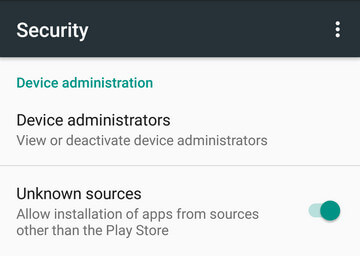
- Install Blocked: Settings > Security > Unknown sources > Check the box and allow.
- Harmful App: Settings > Security > Verify apps > Uncheck it
- Step 3: Click"One Click Root" to use the KingoRoot APK.
- Step 4: Result: success or fail.

The download will be automatically started to your Android. Find it in "Download" on your phone.
If Chrome has warned you about KingoRoot.apk, click OK to proceed.
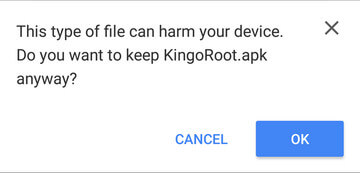
After KingoRoot APK download is complete, install the apk file.
*Note: you may receive this install block message. Take the following steps:
You device may only accept app installation coming from its native app store, like Google Play or Samsung Apps. The apk file of KingoRoot is directly downloaded from the server of KingoRoot and will not be able to install on your device unless you allow installing from "Unknow source.
KingoRoot is an exploit-based root tool. KingoRoot exploits system vulnerabilities in order that your device can be rooted, which will be considered by Google or Manufacturers as a malicious act. But it is your choice to choose, to root or not to root. On kingo's behalf, the only thing we can do is that to make sure of our integrity and leave the choice to you.
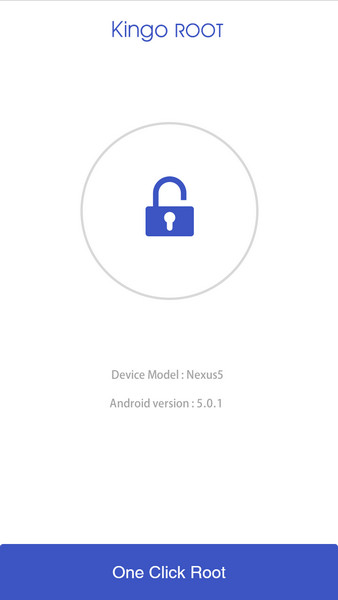
Make sure the network is stable when rooting with KingoRoot. Because the rooting scripts are stored in Kingo's server. Otherwise, KingoRoot apk will fail to root your device.
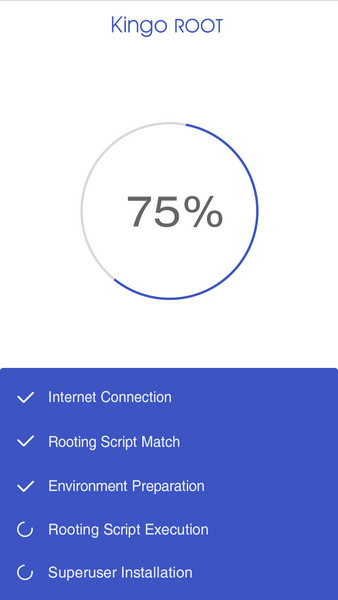
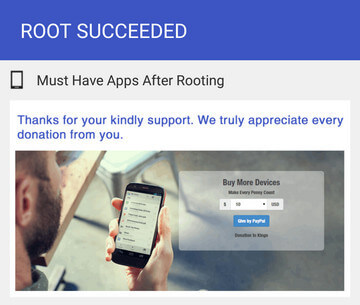
You may want to try it several times because KingoRoot.apk will only download one script at a time. Running different scripts may deliver different results.
MORE TO SAY: After doing all above, if KingoRoot APK still failed to root your Android 6.0/6.0.1 marshmallow devices, hope you have a try on KingoRoot on Windows (PC Version), which has a much higher success rate for technical reasons.How to root any Android device of any version with KingoRoot PC Version?
KingoRoot on Windows
KingoRoot Android on Windows has the highest success rate. It supports almost any Android device and version.

KingoRoot for Android
KingoRoot for Android is the most convenient and powerful apk root tool. Root any Android device and version without connecting to PC.
Top Posts
- Successfully Get Root Access On Android 10 (Google Pixle 3 XL) With Magisk
- How to Root Android without Computer (APK ROOT without PC)
- How to Root Android with KingoRoot (PC Version)
- Best Top 5 Root Tools to Safely Gain Root Access for Your Android Devices
- How to Root Your Android 10.0 with Kingoroot root APK and PC root
- How to Root Your Android 5G with Kingoroot root APK and PC root
- How to Root Android 9.0 Pie with Kingoroot Both root APK and PC root Software
- How to Root Android 8.0/8.1 Oreo with KingoRoot APK and Root Software
- How to Root Huawei Packed with EMUI 8 and EMUI 9 or Higher with Magisk
- How to Root Samsung running Android 9.0 Pie with Magisk